
Best WordPress Website Management Services for Small Businesses

Running a WordPress website is not just about publishing blog posts and creating pages. A website needs regular updates, backups, security checks, speed optimization, and technical maintenance to keep everything working properly.

For small businesses, managing all of these tasks can take a lot of time. This is where professional WordPress website management services can help.

In this guide, we will explain what WordPress management includes, why it is important, what services you should look for, and how you can find an affordable WordPress expert online.

What Are WordPress Website Management Services?

WordPress website management means taking care of the technical and day-to-day tasks required to keep a website secure, updated, and working properly.

Depending on the service provider, management can include:

1WordPress core updates

Plugin and theme updates

Website backups

Security monitoring

Malware checks

Bug fixing

Speed optimization

Content updates

Website troubleshooting

Database optimization

WooCommerce updates

Website performance checks

Professional services can be particularly useful for business owners who don’t have enough time or technical knowledge to maintain their website themselves.

Person managing a WordPress website on a laptop.

Why Does Your Website Need Regular Maintenance?

A WordPress website contains many different components, including the WordPress core, plugins, themes, hosting, databases, and security settings.

If these components are ignored for a long time, problems can appear.

For example, outdated plugins may cause compatibility problems, while a lack of backups can make recovering from a website problem much harder.

Regular maintenance can help you

Keep your website updated

Reduce technical problems

Improve website security

Maintain website performance

Protect important website data

Fix errors more quickly

Keep content up to date

Google also recommends creating helpful, reliable, people-first content rather than content created mainly to manipulate search rankings.

What Is Included in WordPress Website Management?

Not every provider offers exactly the same package. Before hiring someone, check what is actually included.

1. WordPress Updates

A professional WordPress manager can update the WordPress core, plugins, and themes.

Updates can also require compatibility checks because changing one component can sometimes affect another part of the website.

2. Website Backups

Regular backups are one of the most important maintenance tasks.

A backup gives you a way to restore your website if something goes wrong.

Ask the service provider:

– How often are backups created

– Where are backups stored?

– How long are backups retained?-

Can the website be restored if necessary?

3. Security Monitoring

Website security is another important part of maintenance.

A WordPress manager may help with security checks, spam protection, suspicious activity, malware detection, and basic security improvements.

Image 2 – Website Security

4. WordPress Bug Fixing

Sometimes a website suddenly develops an error.

For example:

– 404 errors

– Plugin conflicts

– Elementor problems

– Broken layouts

– White screen errors

– Database problems

– Website loading issues

A WordPress expert can investigate these problems and fix them.

Some Fiverr WordPress maintenance services specifically advertise bug fixing, plugin/theme issues, speed problems, backups, and security checks.

5. Speed Optimization

Website speed can affect user experience

A WordPress specialist may optimize images, plugins, databases, caching, and other technical elements to improve performance.

However, don’t choose a service simply because it promises a particular PageSpeed score. The actual results can depend on your hosting, theme, plugins, images, and website structure.

Website Speed

Best WordPress Website Management Services for Small Businesses

Fast website loading on laptop or smartphone.

How Much Do WordPress Management Services Cost?

Prices vary depending on the provider, website size, and services included.

For example, current Fiverr listings show WordPress management services starting around $15–$30 for some basic services, while more comprehensive packages can cost considerably more.

Don’t automatically choose the cheapest service.

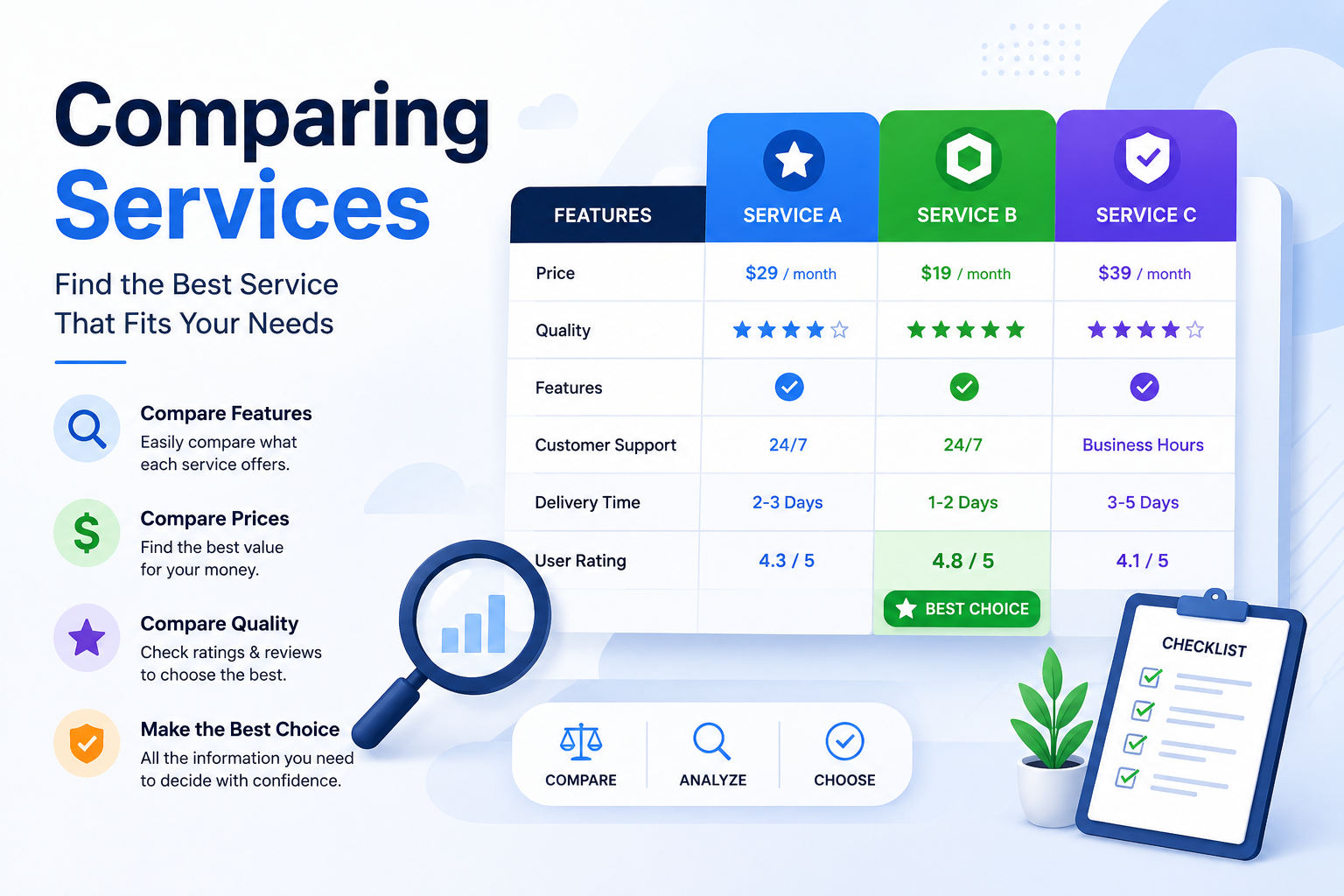
Instead, compare:

– Services included

– Reviews- Seller experience

– Delivery time

– Number of websites covered

– Backup policy

– Security support

– Customer support

– Monthly or one

-time pricing

Comparing Services
Best WordPress Website Management Services for Small Businesses

Business owner comparing different service options on a laptop.

Where Can You Find WordPress Website Management Services?

One option is Fiverr, where you can compare different WordPress freelancers and their services.

At the time of writing, Fiverr has thousands of WordPress management-related listings, with different sellers offering website maintenance, updates, security, bug fixing, content management, and other services.

Find a WordPress Expert on Fiverr

Before hiring a freelancer, read the service description carefully and check reviews and ratings. Also make sure the freelancer offers the exact service your website needs.

What Should You Check Before Hiring a WordPress Manager?

Choosing the right freelancer is important.

Here are some things to check:

Here are some things to check:

Reviews and Ratings

Look at recent reviews instead of relying only on the overall rating.

Services

Make sure the package includes the maintenance tasks you actually need.

Experience

Check whether the freelancer has experience with websites similar to yours.

Communication

Good communication can make technical projects much easier.

Ask whether they create a backup before making major changes.

Security

Ask what security checks are included in the service.

Pricing

Compare several providers before making a decision.

Fiverr vs Hiring a Local WordPress Developer

Both options can work, depending on your needs.

Fiverr may be useful if you want:

– Different freelancers to compare

– Various price ranges

– Specific WordPress services

– One-time technical fixes

– Remote support

A local developer may be better if:

– You prefer face-to-face communication

– You need ongoing local support

– Your business requires frequent personal interaction

For many small website owners, comparing online freelancers can be a convenient way to find someone for specific WordPress tasks.

Pros and Cons of Hiring a WordPress Manager

Pros

– Saves time

– Provides technical assistance

– Helps with regular updates

– Can help with security

– Can fix website problems

– Useful for non-technical website owners

Cons

– Monthly costs may add up

– Quality varies between freelancrs

– You need to choose the right provider

– Some services may not include everything you need

Is WordPress Website Management Worth It?

For a business website, blog, online store, or affiliate website, regular maintenance can be worthwhile.

The main benefit is that you don’t have to handle every technical task yourself.

However, you should choose a service based on your actual requirements instead of paying for unnecessary features.

If your website is small, you may only need occasional maintenance. A larger WooCommerce website may require more frequent monitoring and support.

Final Thoughts

A WordPress website needs regular care to remain secure, updated, and functional.

The best WordPress website management service for you will depend on your website size, technical requirements, budget, and how much support you need.

Before hiring anyone, compare services, reviews, pricing, experience, and support options.

If you want to compare different freelancers in one place, Fiverr is one option worth exploring.

[CHECK WORDPRESS MANAGEMENT SERVICES ON FIVERR – PASTE YOUR AFFILIATE LINK HERE]

Frequently Asked Questions

How often should a WordPress website be maintained?

There is no single schedule for every website, but regular updates, backups, security checks, and performance monitoring are recommended.

Can someone manage my WordPress website remotely?

Yes. WordPress management can usually be performed remotely, so you can work with freelancers from different countries.

How much does WordPress website management cost?

It depends on the services and provider. Some Fiverr listings currently start at relatively low prices, while comprehensive or ongoing management packages cost more.

Should I hire a WordPress manager for a small website?

If you don’t have the technical knowledge or time to maintain the website yourself, hiring a professional can be useful.

Can a WordPress manager fix website errors?

Many WordPress maintenance providers offer bug fixing and troubleshooting, but you should confirm that the specific problem is covered before ordering.

Is Fiverr good for finding WordPress experts?

Fiverr offers a large selection of WordPress-related services, allowing you to compare different freelancers, prices, ratings, and service packages.

1 thought on “Best WordPress Website Management Services for Small Businesses”

  1. Pingback: Hire WordPress Developers: How to Find the Right WordPress Developer for Your Website -

Leave a Comment

Your email address will not be published. Required fields are marked *

Scroll to Top